

Stillread
A calm place to read Markdown on your Mac.
Free to read · macOS 14 Sonoma or later
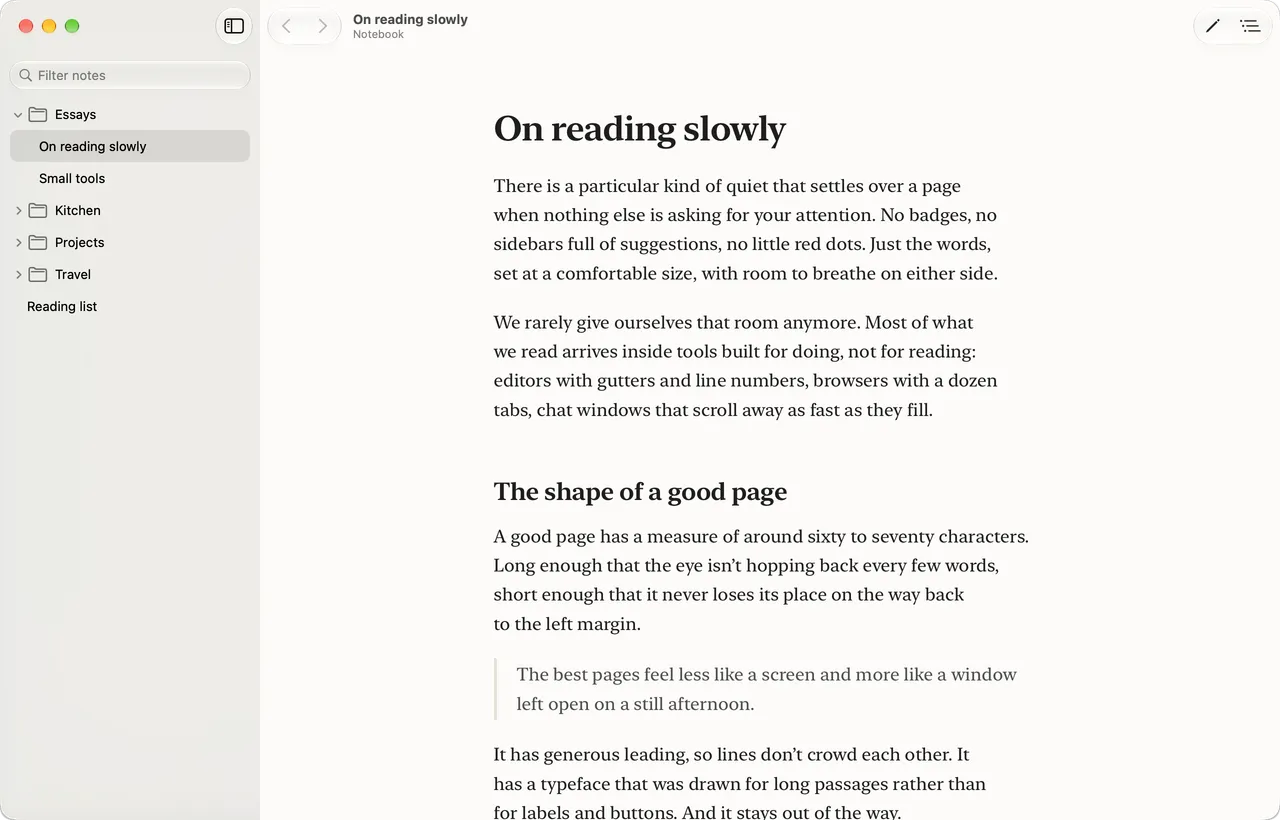
Made for reading
Markdown usually gets read inside tools built for writing: gutters, tabs, line numbers. Stillread sets it like a page instead, in a typeface drawn for long passages, at a line length that's easy on the eyes, with room on either side.
Choose serif or sans, three line widths and your text size. Light and dark follow your Mac. When you want nothing else on screen, Focus Mode puts away everything but the words.
Your folders, as they are
Open a folder and its notes appear in a quiet sidebar, in the same folders you keep them in. Filter to find a note, go back and forward like a browser, and jump through a long document with its table of contents.
There's nothing to import and no library to manage. Your files stay exactly where they are, and Stillread remembers the folders you've opened recently.
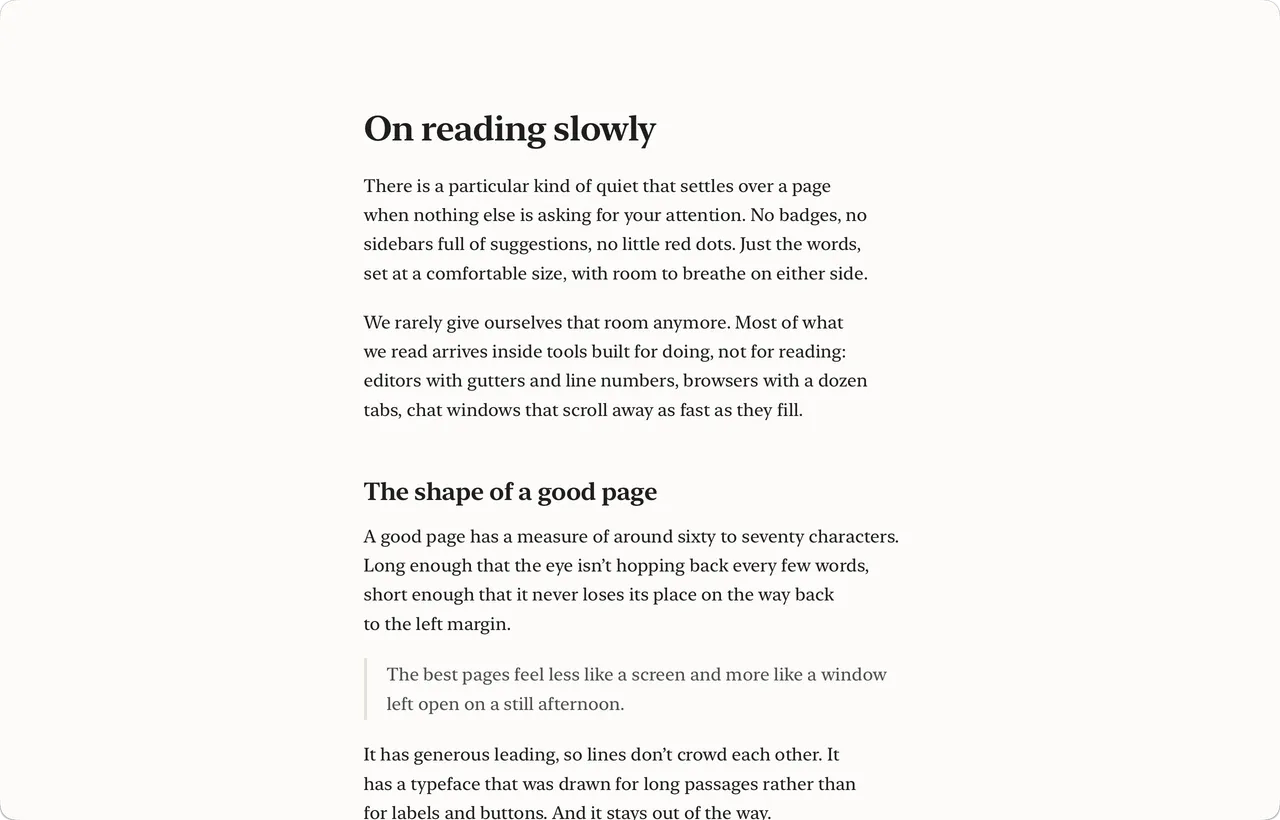
Press Space on any Markdown file and see it properly
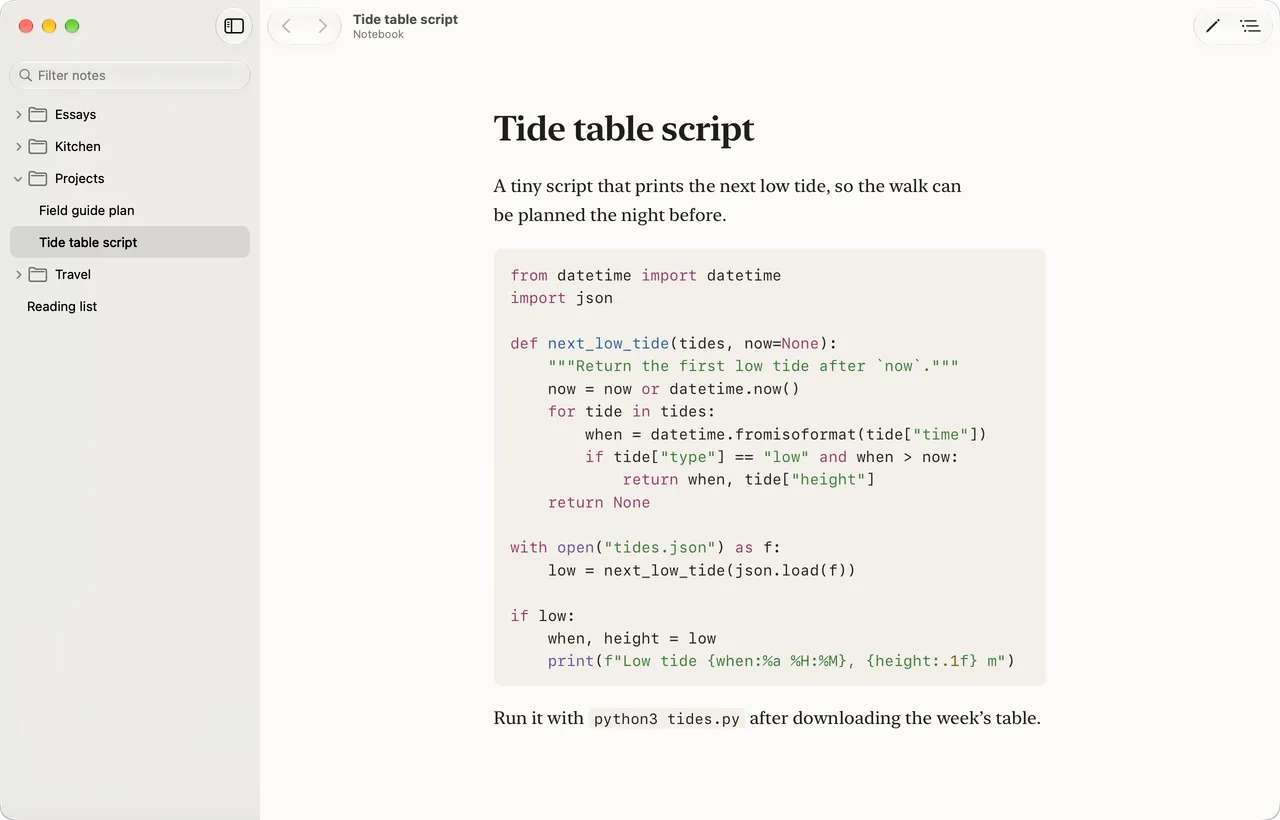
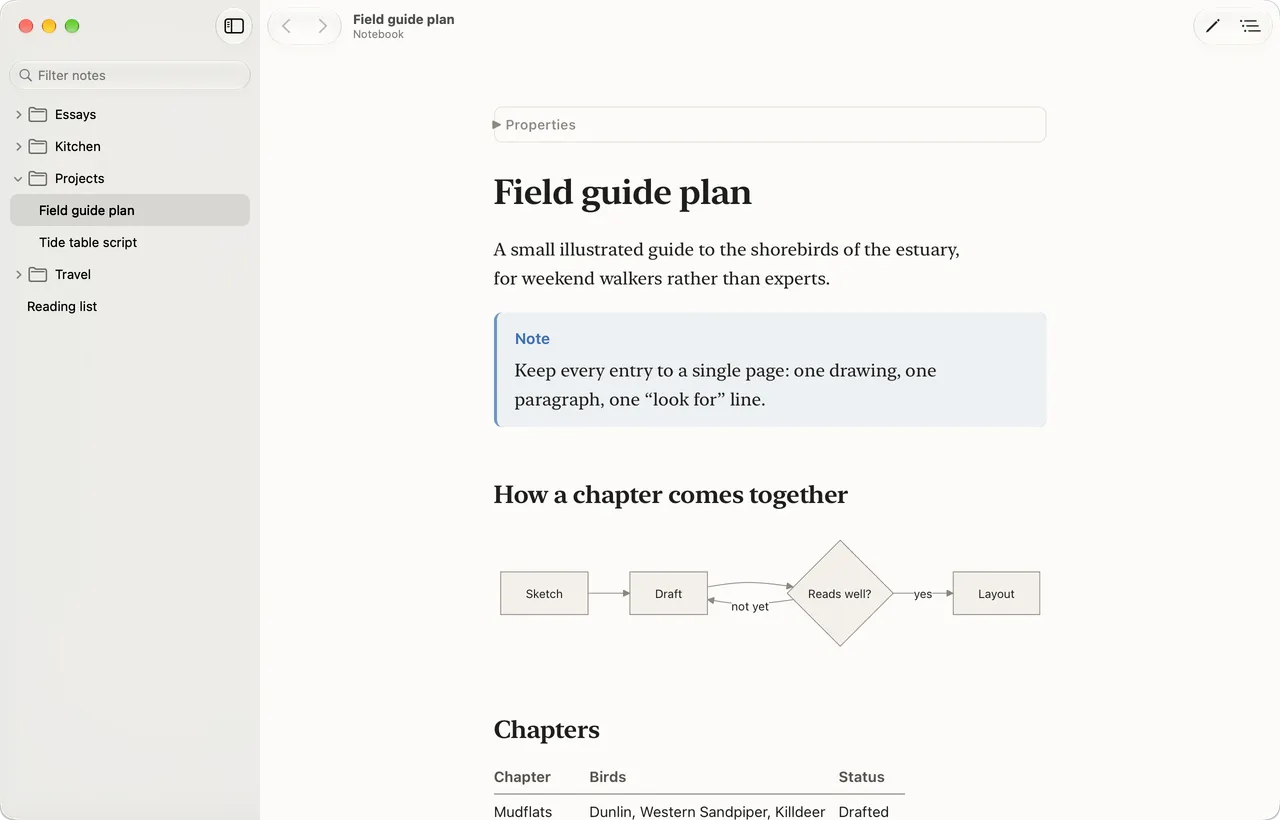
Select a Markdown file in Finder and press Space. Instead of raw text, Stillread's Quick Look preview shows the page the way the app does: the same typeface, tables, highlighted code and diagrams.
Stillread started partly because of this. Quick Look previews come free with the app.
All of GitHub-flavoured Markdown
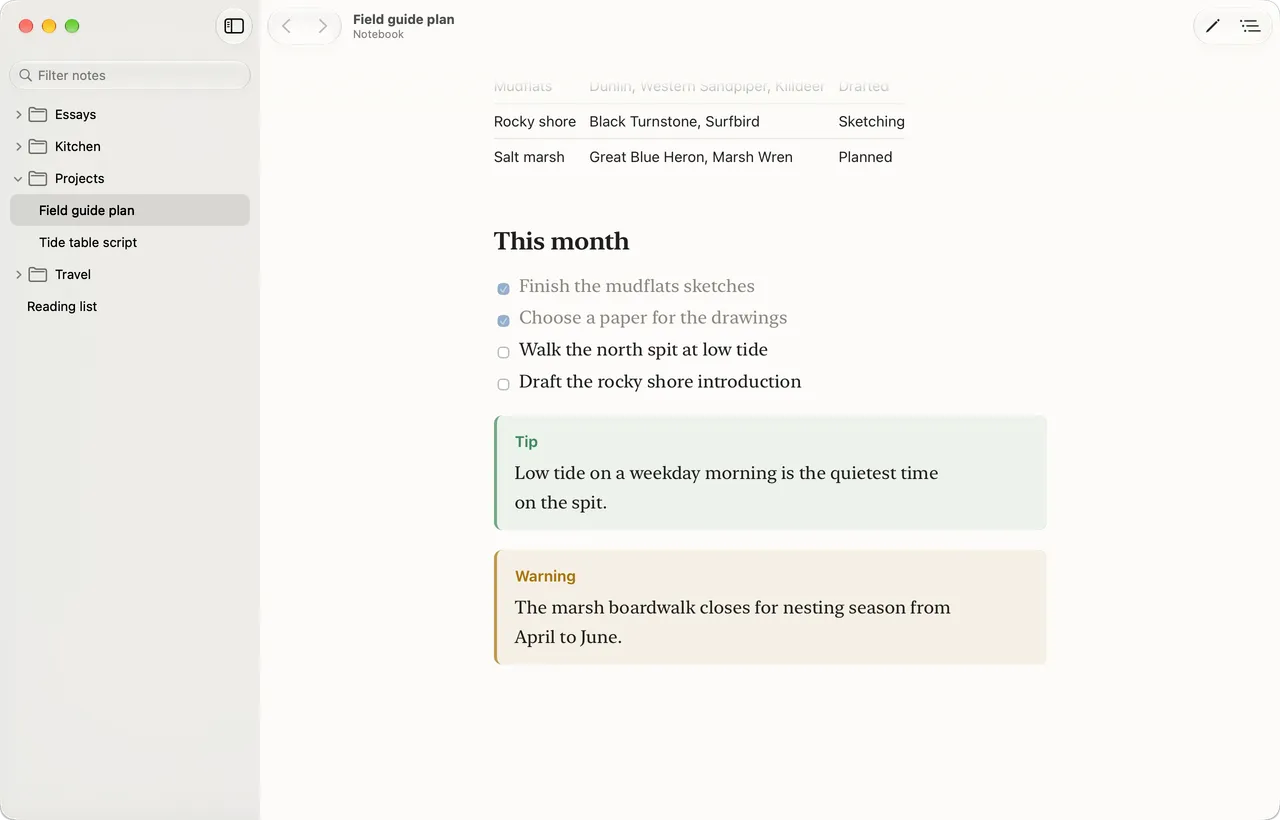
READMEs, docs and project plans look the way their authors meant, with the GitHub extras rendered calmly to match the page.
- Tables
- Task lists
- Footnotes
- GitHub alerts
- Mermaid diagrams
- Highlighted code
Follows along as files change
When a note changes on disk, the page updates in place and keeps your spot. Write in your editor of choice and read the result beside it, or watch a folder fill as your tools work through a plan.
A quiet place to read what you and your tools write.
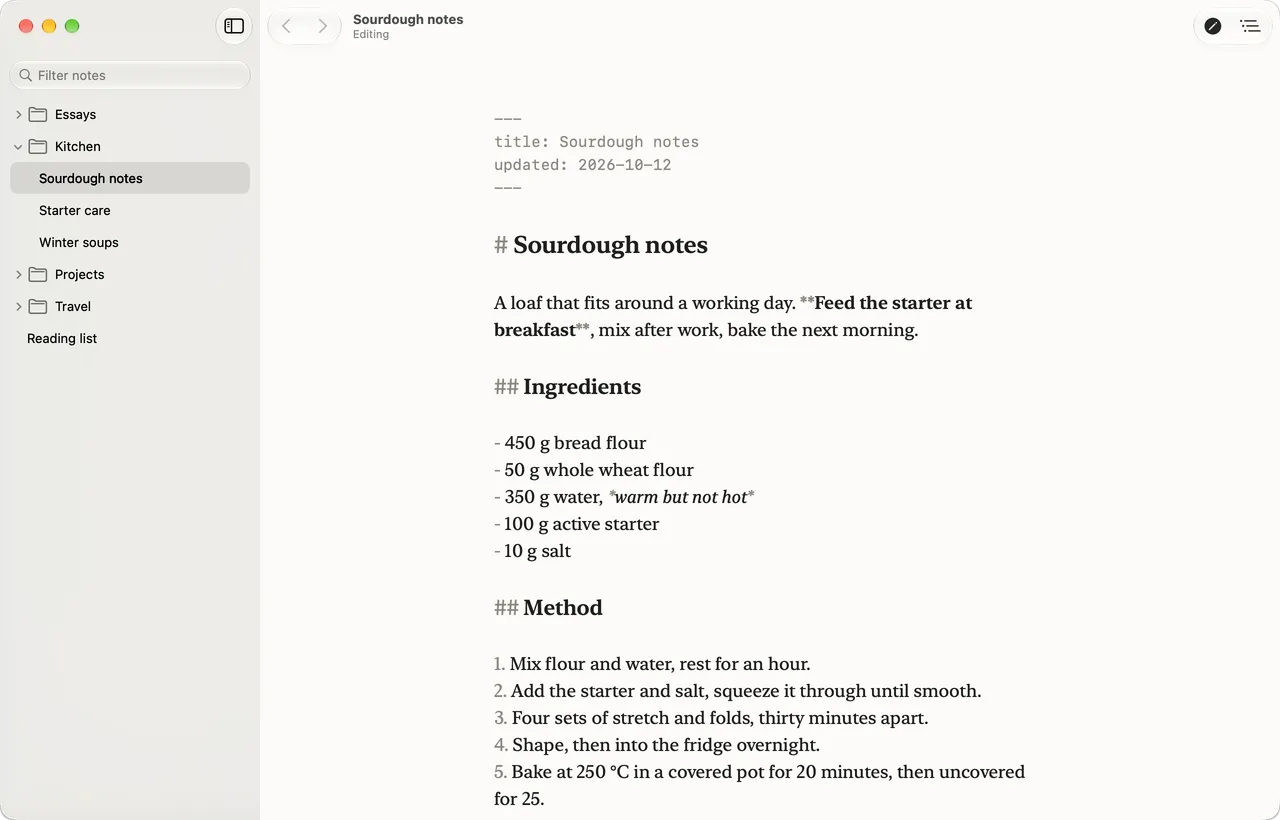
Press ⌘E to edit
When something needs fixing, press ⌘E and the page becomes its Markdown, in the same typeface and width, so you never lose your place. Headings and emphasis still look like themselves, and the Markdown marks fade into the background.
Changes save on their own. Your file is written back exactly as it was apart from what you typed. And if another app changes the note while you're editing, Stillread asks which version to keep instead of overwriting either.
At home in an Obsidian vault
Keep notes in Obsidian? Open the vault as a folder. Wikilinks work, embedded images show in place, frontmatter folds away into a small Properties line, and callouts look like callouts. When you want to change something, there's a shortcut to open the note in Obsidian.
Reading is free, always
Editing is a one-time unlock. There's no subscription.
Reading
Free
- Reading, with every reading feature
- Folders, the sidebar and live reload
- Quick Look previews in Finder
- Focus Mode, light and dark
Editing
$9.99 USD, once
- Edit any note with ⌘E
- Use it on up to 2 Macs
- Free updates through every 1.x version
- No subscription
There's no trial, so here's a promise instead: if it isn't right for you, email support and I'll refund you. Refunds
Requirements
macOS 14 Sonoma or later. Runs natively on Apple silicon and Intel Macs.